
Short answer: To identify a movie from a TikTok, Reel, or Facebook clip, screenshot the most distinctive frame — a landmark or on-screen text beats a face — and run it through an AI identifier or reverse image search. No waiting for a "link in bio." Here are four reliable ways to do it.
We've all been there: you're scrolling TikTok or Reels, you see an intense scene, and the caption just says "Part 2" while the comments are 50 bots spamming "Link in bio."
Some accounts omit the title or bury it behind a link to increase comments. You do not have to wait for a reply: these four methods can turn the clip itself into a useful search clue.
1. The Screenshot Strategy (Most Reliable)
Visual search is your best friend. But don't just screenshot a generic face.
• Capture a Landmark: If there's a unique building or car, that's better than a face.
• Capture Text: Is there a police file, a street sign, or a computer screen? OCR can read clear on-screen text and give you more searchable clues.
• Upload to VidScio: Use our visual search tool. General image search can help with clear faces, posters, and products; VidScio is tuned for movie-identification queries that combine images with scene context.
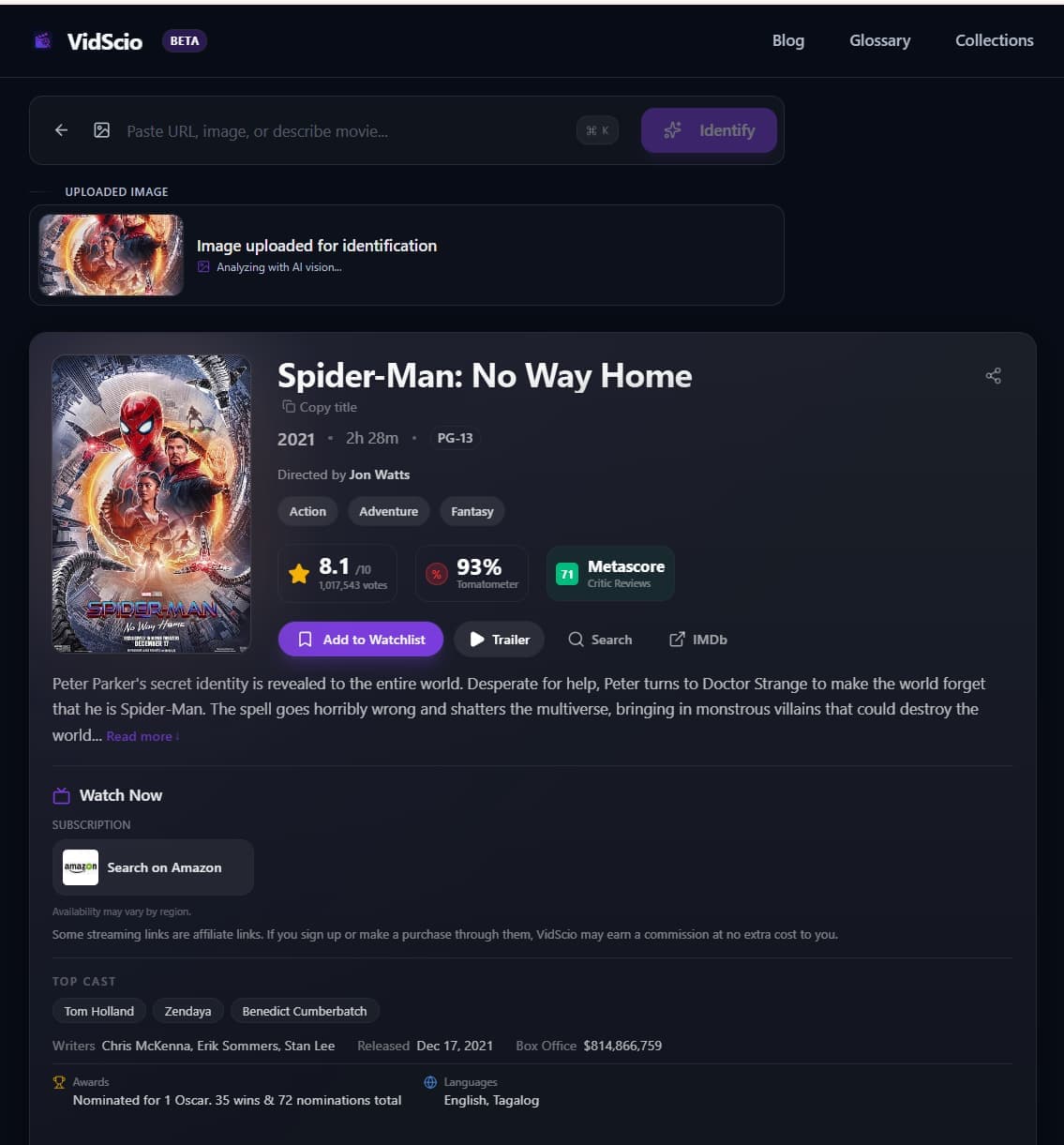
Have a clip screenshot right now?
Upload your frame to get the title, cast, and streaming options in seconds.
2. The "Ctrl+F" Trick
If you're on a desktop (or have a "Find on Page" feature on mobile), open the comments section.
Don't scroll aimlessly. Search for keywords like "name," "title," "film," or "cap" (short for caption). Often, a hero in the comments has already answered it, but their comment is buried under hundreds of "Part 2??" requests.
Pro-Tip: The 0.5x Speed Trick
Creators often flash the title for 0.1 seconds at the very beginning or end to avoid copyright strikes.
Hold down on the video (TikTok/Reels) to access playback speed. Set it to 0.5x. Watch the very first and last frames closely. You'll catch details you missed at full speed.
3. Dialogue Search
If the clip has original audio, listen for a unique line of dialogue.
Type it into VidScio or Google with quotation marks.
Bad search: a guy says i am the danger
Good search: "I am not in danger Skyler I am the danger"
4. Search the Audio Track
Tap the spinning record icon (TikTok) or audio name (Instagram) at the bottom right.
Even if the video you're watching doesn't have the title, other videos using the same sound might. Scroll through the top videos under that sound. Usually, the original source (or a repost with the title) will be near the top.
From Mystery Clip to Verified Title
Skip begging in the comments. With a screenshot and the right search terms, you can identify most movies and get back to watching. Check out our in-depth tutorials on finding movie names from TikTok edits & sounds, finding movies from a screenshot, identifying YouTube Shorts clips, or finding the exact TV episode.