
Short answer: To identify a movie or TV show from a YouTube Short, clip, or video edit, you can either paste the public clip URL directly into an AI movie identifier, extract a high-contrast screenshot of a distinctive setting or prop, or search exact dialogue phrases in quotation marks.
Movie clips on YouTube Shorts and other short-form feeds do not always include a useful title or attribution. Reposted clips may also be cropped, mirrored, covered by captions, or paired with unrelated audio, removing clues that would otherwise make the source easy to recognize.
The four methods below turn information already present in the clip into searchable evidence. No method works for every clip, so treat an automated result as a candidate to verify against the cast, year, plot, and source scene.
What our production data shows
In VidScio's June 2026 field benchmark, 1,018 of 1,504 submitted YouTube URLs returned a non-Unknown candidate (67.69%). This is a result-return rate, not an accuracy score: the dataset did not contain human ground-truth labels for every attempt. Public, captioned videos tend to expose more usable evidence than private, deleted, age-restricted, or region-blocked clips.
Read the methodology and aggregate results1. Direct URL & Video Identification
Start with the public YouTube URL because it may expose useful title, description, thumbnail, transcript, and comment context without requiring you to reconstruct the scene from memory.
• Copy the Clean URL: Tap "Share" on the YouTube Short or video and copy the clean link (e.g., youtube.com/shorts/...).
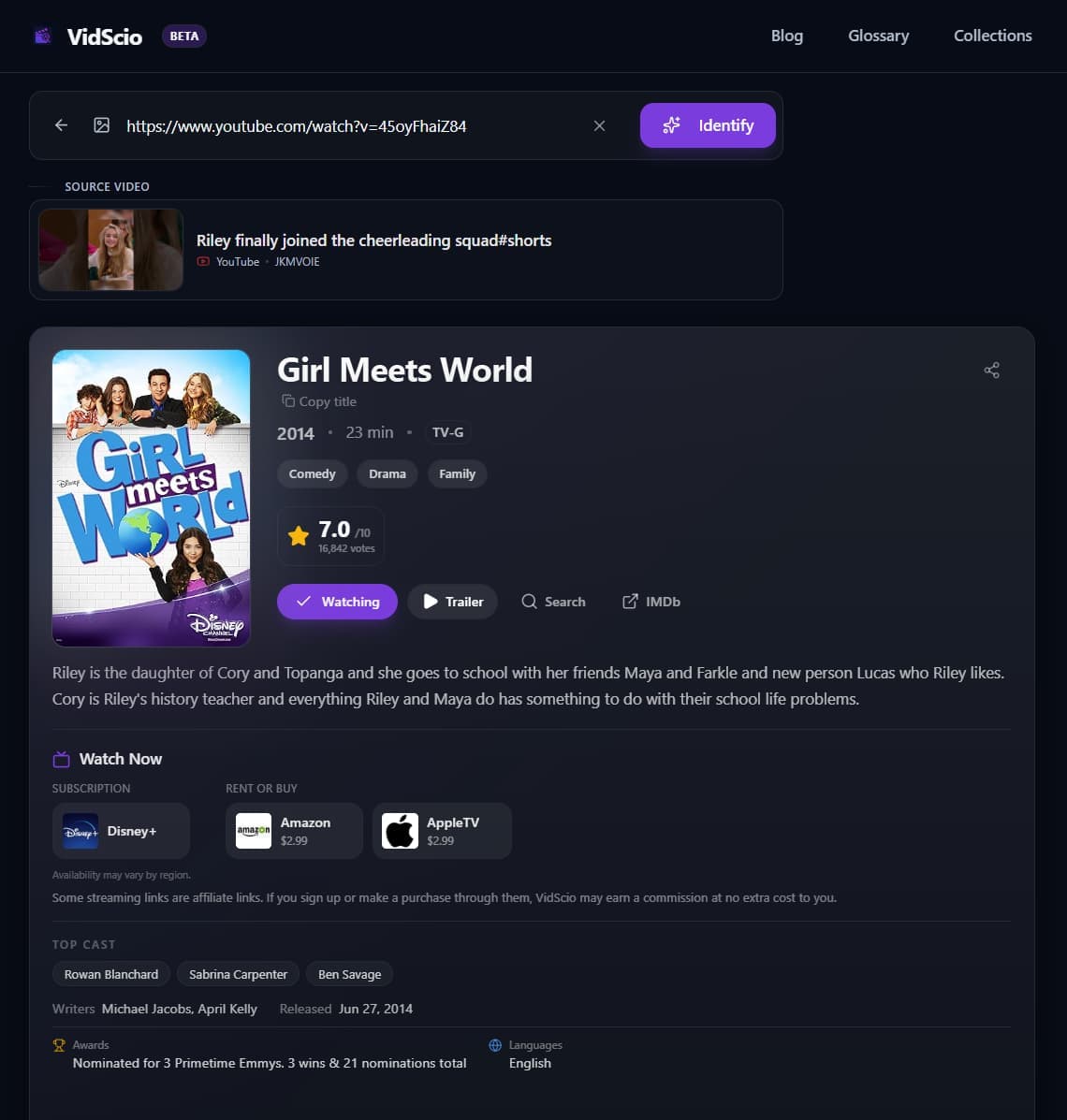
• Run It Through VidScio: Paste the link into VidScio's AI Movie Finder. Depending on what the source exposes, the finder can use available page metadata, transcript or comment context, and visual evidence to suggest a title. The result includes details you can inspect before accepting the match.
2. The Strategic Keyframe Screenshot Method
When a direct URL isn't available (or if the video has heavy overlay filters), capturing the right screenshot is your next best tool.
A blurry close-up of an actor is weak evidence: the same performer may appear in dozens of productions, and motion blur or heavy color grading removes identifying detail. Prefer a frame that is specific to the scene.
• Look for Static Environmental Anchors: Pause when the camera shows a distinct room layout, identifiable skyline, vehicle, or sci-fi tech.
• Capture Text & Badges: Police badges, name tags, book covers, building signs, or computer screen text provide high-confidence searchable tokens.
• Crop Out UI Overlays: Crop away the YouTube like/share buttons, progress bar, and captions before running reverse image searches.
Pro-Tip: Check the Top Pinned Comment & Chapter Markers
On longer YouTube video compilations or "top scene" clips, creators sometimes list timestamps in the video description or pinned comments. If timestamps aren't provided, search the comments for keywords like "movie", "title", or "name" to see if another viewer has timestamped the clip.
3. Dialogue & Script Matching
If the clip includes clear spoken dialogue, a single distinctive sentence can pinpoint the exact scene and screenplay.
General keyword searches often fail because common words appear in thousands of films. Instead, use exact quote operators:
- Weak search: movie where guy says we are in the endgame now
- High-accuracy search:
"we're in the endgame now" movie script
Focus on lines with uncommon idioms, character names, or unusual adjectives rather than generic phrases like "let's go" or "run!". For dedicated subtitle queries, a script database such as QuoDB can search dialogue fragments. When captions are available, YouTube also provides a transcript view whose lines link back to their timestamps.
4. Watch Out for Common Social Video Edits
Reposted short-form clips may differ from their original source in ways that weaken visual or audio searches:
The video may be flipped horizontally. If letters or steering wheels look reversed, flip your screenshot before searching.
Viral clips often layer trending music over original audio. Rely on visual and dialogue search rather than music identification apps.
Frequently Asked Questions
How do I identify a movie from a YouTube video or Short?
You can paste the YouTube URL directly into an AI movie identifier like VidScio, capture a clean keyframe screenshot of a distinctive background object or prop for visual search, or search an exact quoted dialogue line in quotation marks.
What if a YouTube Short does not name the movie?
Check the description, pinned comment, visible captions, and available transcript first. If the title is still missing, use a public URL, a clear keyframe, or a distinctive dialogue line as evidence for a search.
What is the best frame to screenshot from a video clip for identification?
Avoid fast-motion blurry faces. Instead, pause on a clear frame showing unique architectural landmarks, vehicle license plates or models, distinctive uniforms, props, or on-screen text.
Can I find a movie if the video clip has background music over the dialogue?
Sometimes. If any speech remains audible, search a distinctive sentence in quotation marks or check the available transcript. Otherwise, use clear frames and a description of the scene instead of relying on the replaced audio.
Sources and methodology
- VidScio Movie Identification Benchmark: 9,713 Real-World Attempts (June 2026 production cohort and downloadable aggregate data).
- YouTube Help: View video transcripts.
- The Girl Meets World example above is a first-party capture of a successful public YouTube URL identification. Results vary with source accessibility and the evidence available in each clip.