
Likely title matches
Open VidScio on a supported public video page to analyze its URL and, on YouTube, available title and description context.
VidScio for Chrome
Use the VidScio Chrome extension on a supported public video page to find likely title matches, then check ratings, streaming options, and alternatives.
Free to install; identification usage limits apply. VidScio offers a limited free tier and, when purchases are enabled, optional one-time identification packs on the website. Results are suggestions to verify, not guarantees.
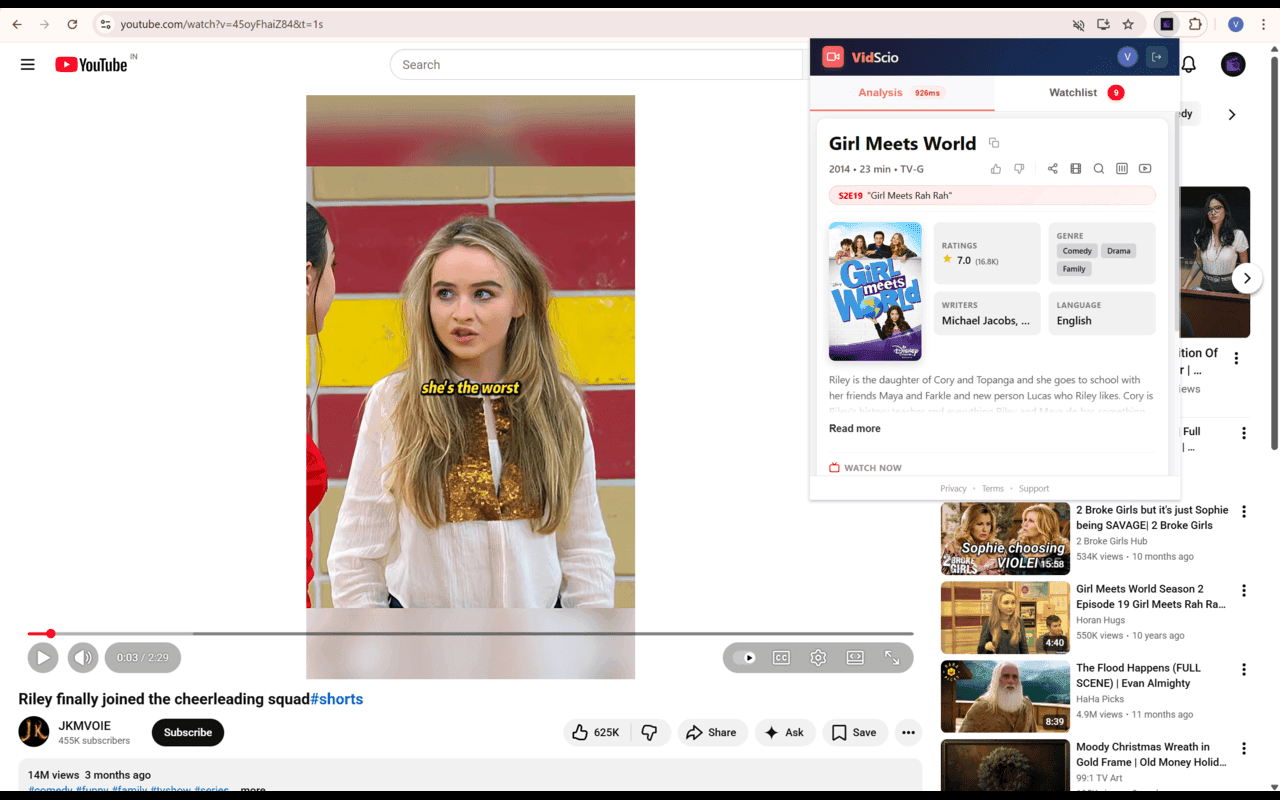
Built for the moment of recognition
Open VidScio on a supported public video page to analyze its URL and, on YouTube, available title and description context.
Compare the release year, rating, overview, and alternative matches before deciding whether the result is right.
Check available streaming options and save titles to your watchlist without losing the page that led you there.
Install VidScio for Chrome and open it whenever an uncredited scene or unfamiliar clip appears in your browser.
Get the Chrome extension